People and positions are the core staffing model for Intermio. Add them before you spend time on templates or schedules.
1. Open the People page and review the current roster
From the workspace navigation, open People and confirm whether the roster already contains active team members. If this is a new workspace, expect the page to be sparse and use it as the starting point for staff setup.
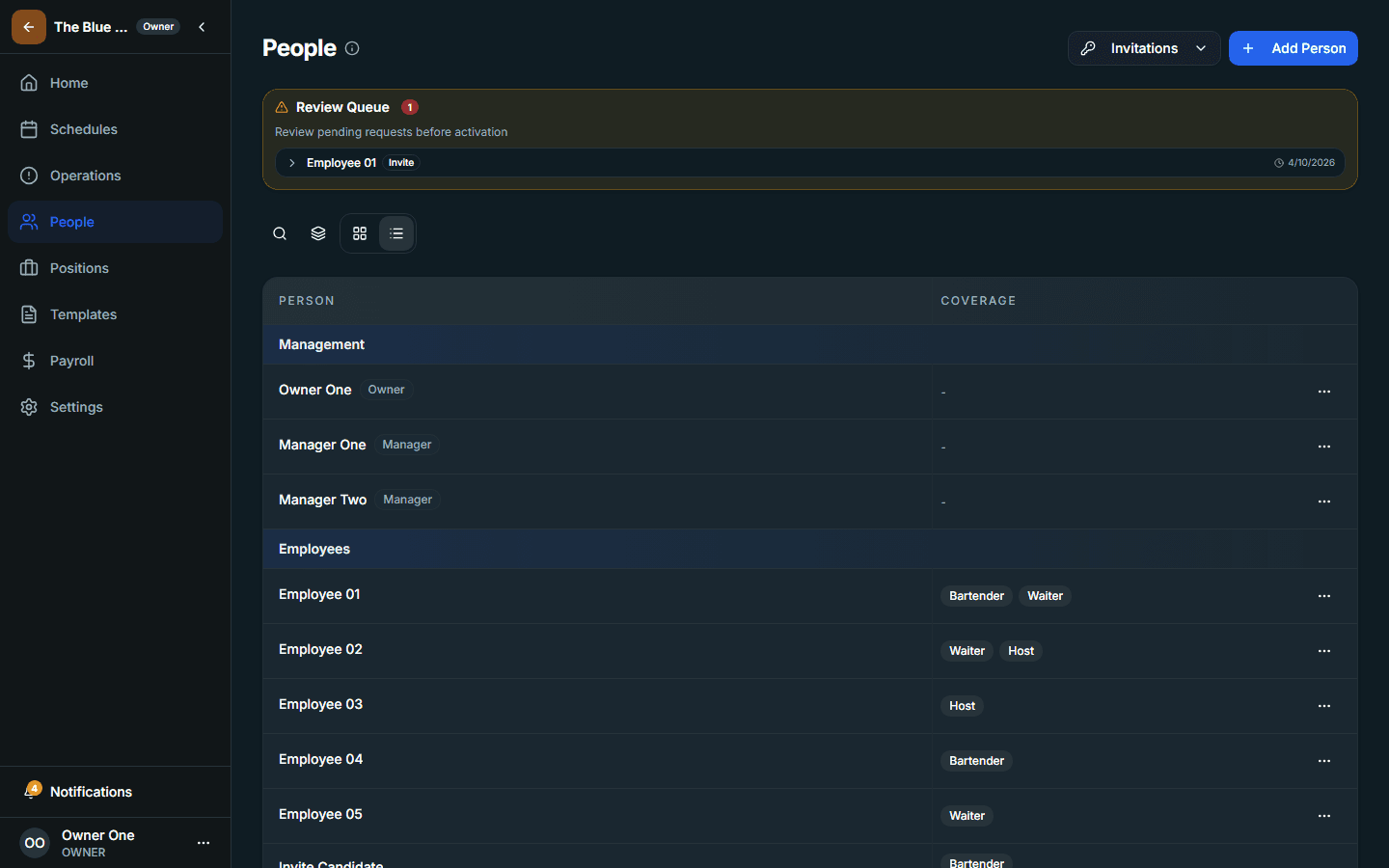
2. Add or verify the staff records you need
- Create the people records you plan to schedule
- Check names and role assignments for accuracy
- Review any pay-related context that matters for later payroll operations
3. Move to Positions and define the scheduling structure
Positions describe the categories of work the schedule needs to cover. Open the Positions page and make sure the workspace has the positions required for your venue's real operating model.
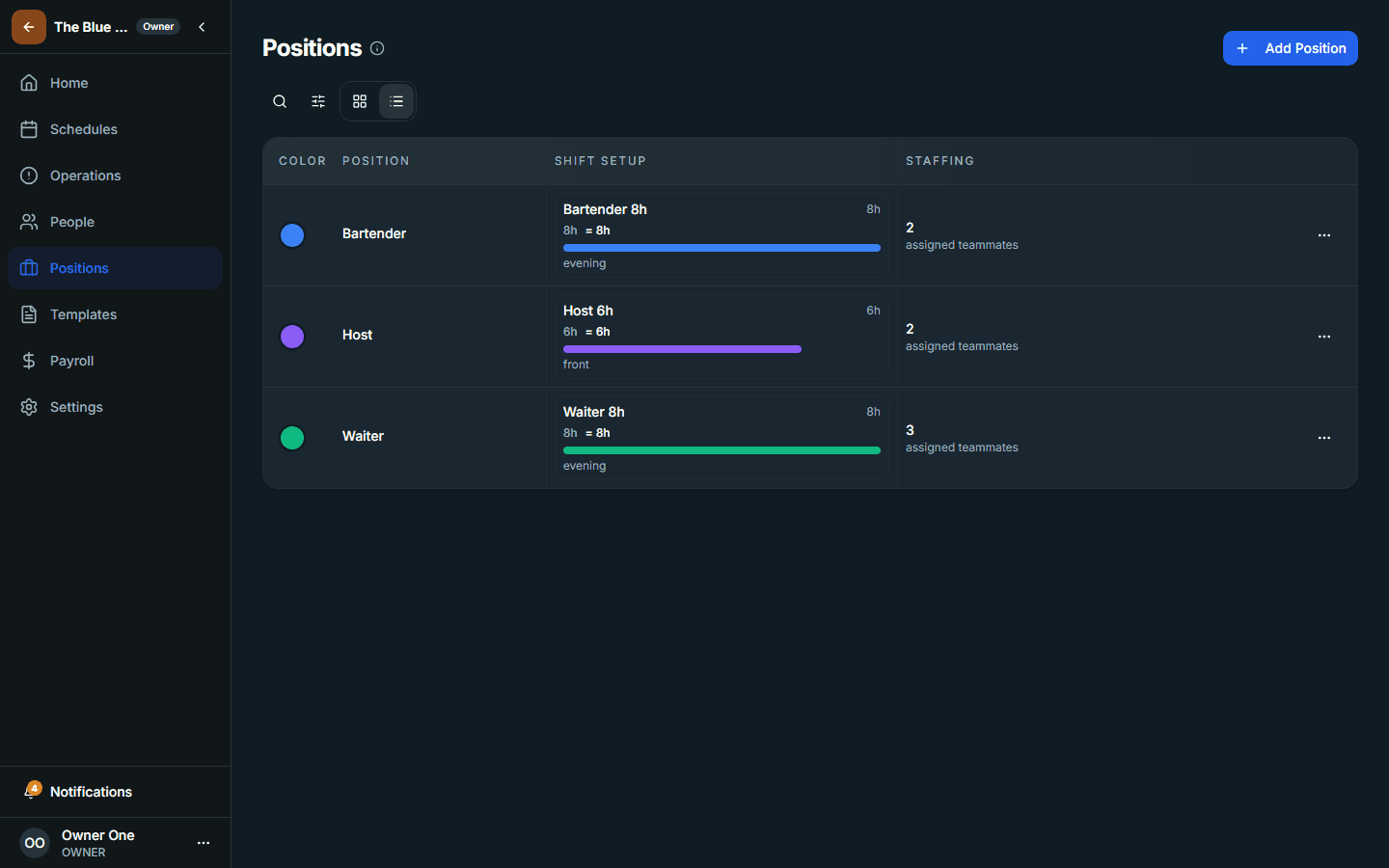
4. Confirm that people and positions now match the venue you will schedule
Practical check
If you cannot describe who should be scheduled into which position yet, stop here and finish the workforce model before building schedules.